

Summary
How NetBird Reverse Proxy Made Sharing My Immich Photo Library Easy for My Family
For someone comfortable with self-hosted technology, Immich can easily replace Google Photos. For less technical users, however, the experience still isn’t quite seamless. In my case, I’d say it’s about 90% of the way there. Unfortunately, that remaining 10% can feel like a huge obstacle for family members who have little interest in networking or self-hosted services.
My photo library contains countless memories that my parents and siblings regularly ask to see. For months, every request of “Can you send me those photos?” meant exporting entire albums manually—exactly the workflow I had hoped to avoid by moving away from cloud photo services.
Everything changed after I switched my remote access solution to NetBird. That’s when I realized I could expose my Immich instance through a reverse proxy. Instead of asking my family to install software or connect to a VPN, all they needed was a web link and a couple of passwords.
A VPN Was Never Going to Work
Installing Extra Software Was Too Much Friction
The most straightforward way to share a self-hosted service is by giving everyone access to your private network.
Solutions like Tailscale, WireGuard, and NetBird’s own client handle this extremely well. If the people accessing your server are reasonably comfortable with technology, that’s usually the ideal solution.
My family, however, isn’t particularly technical.
Expecting them to install a VPN client, configure it, and authenticate with an identity provider every time they wanted to browse family photos simply wasn’t realistic.
Other options weren’t ideal either.
Port forwarding would have exposed the Immich login page directly to the public internet, something I wasn’t willing to do. It also wasn’t practical because my ISP places my connection behind CGNAT.
I also considered Cloudflare Tunnel, but it isn’t particularly well suited for transferring large photo and video libraries. More importantly, it relies on external infrastructure rather than hardware I manage myself.
Why NetBird Reverse Proxy Was the Right Solution
Public Access Without Exposing My Home Network
What I really wanted was simple:
- A public URL.
- Authentication before reaching Immich.
- Infrastructure entirely under my control.
NetBird’s Reverse Proxy, introduced in version 0.65, delivered exactly that.
Built directly into the NetBird management server, it exposes internal services across the WireGuard mesh while handling both TLS termination and authentication at the proxy layer.
My Immich container never receives a public IP address, and no additional ports are opened on my home network.
Instead, incoming traffic reaches the reverse proxy running on my VPS. After authentication succeeds, requests travel securely through the existing WireGuard tunnel to the Immich LXC running on my Proxmox server.
From my family’s perspective, none of this complexity exists.
They simply visit a web address, enter a password, and access the photos.
Most of the Hard Work Was Already Done
Setting Up Access Took Only Minutes
Because I already self-host NetBird, most of the infrastructure had been configured long before I decided to share my photo library.
Self-hosted deployments require Traefik in front of the management server because the reverse proxy depends on TLS passthrough functionality that alternatives like Nginx or Caddy don’t currently provide.
The setup also requires:
- A wildcard DNS record.
- Port 443 accessible for automatic TLS certificate generation.
- A dedicated proxy container connected to the NetBird management server.
NetBird provides a migration guide covering the entire process, and completing the migration took me roughly one afternoon.
Once that foundation was in place, exposing Immich was incredibly straightforward.
Within the Reverse Proxy dashboard, I simply:
- Created a new service.
- Assigned a subdomain.
- Pointed it to the peer hosting Immich.
NetBird automatically generated both the domain configuration and the TLS certificate.
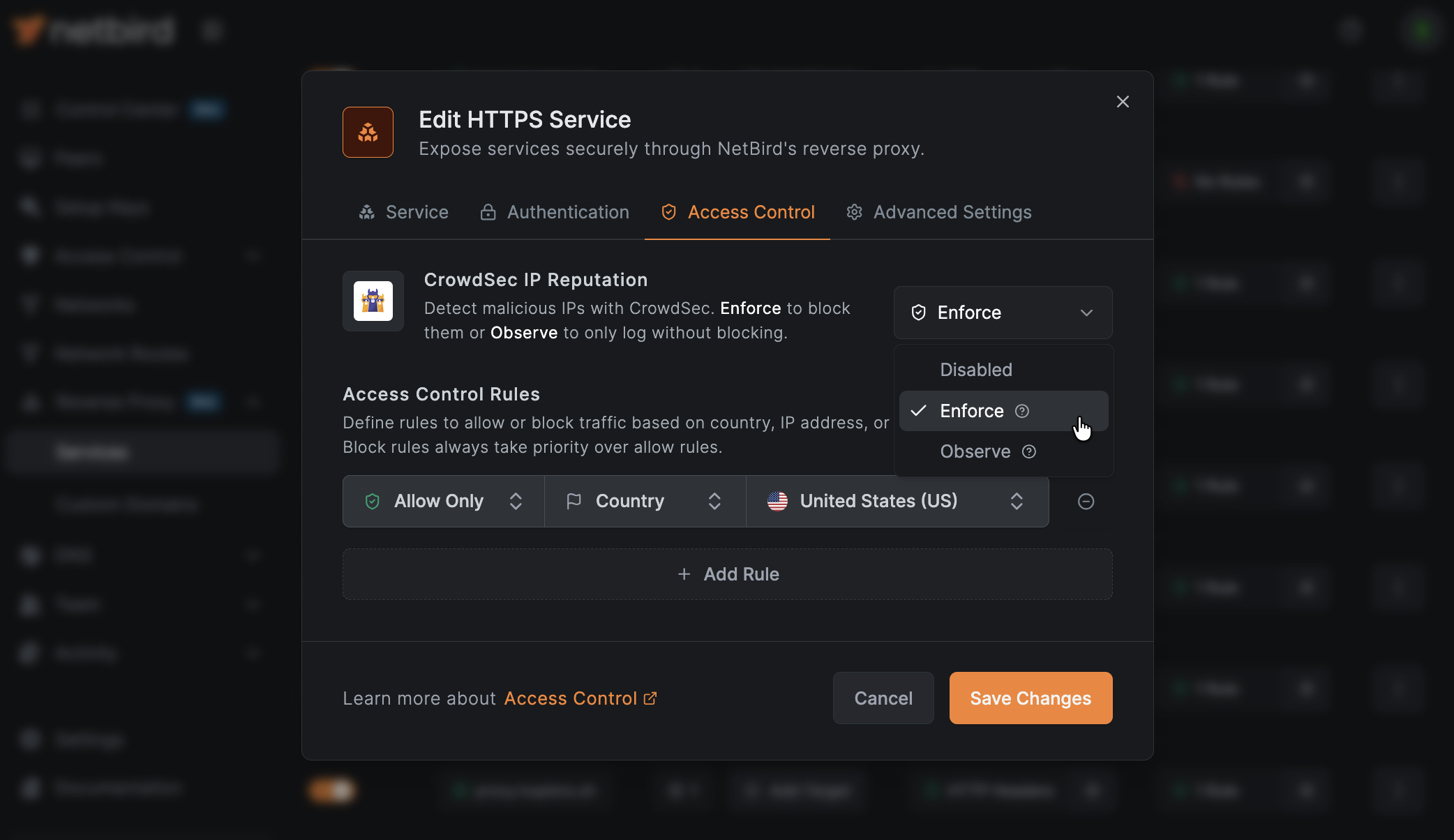
For authentication, I enabled password protection, created a strong shared password, and sent it separately from the URL for better security.
Since authentication sessions are stored using tokens, my family only has to enter the password once.
Individual Immich Accounts Behind a Shared Gateway
Two Layers of Authentication
The shared proxy password acts as the first layer of protection.
Behind that, every family member has their own Immich account.
Rather than relying on public sharing links, each person signs in using personal credentials and receives access to their own library, shared albums, and partner-sharing features.
The overall experience feels much closer to using Google Photos than simply downloading exported JPEG albums.
The only minor inconvenience is the initial setup.
During the first visit, users must:
- Enter the reverse proxy password.
- Sign in to their Immich account.
Fortunately, both sessions remain active after authentication, making the double login a one-time process.
Keeping Private Services Truly Private
NetBird-Only Access
The same reverse proxy also solves another important challenge.
While family photos should be accessible remotely, services like the Immich administration panel and my home lab dashboards should never be exposed publicly.
NetBird introduced NetBird-Only access in version 0.72 specifically for this purpose.
Instead of displaying a login page, the proxy verifies that incoming requests originate from trusted peers inside my NetBird network and belong to approved device groups.
In this model, peer identity becomes the authentication mechanism.
Since NetBird-Only cannot be combined with password authentication on the same endpoint, I simply created two separate services:
- A public subdomain protected by a password for family access.
- A private subdomain accessible only through my NetBird mesh network.
This approach cleanly separates public access from administrative access while maintaining strong security.
A Few Important Limitations
A VPS Is Required
This setup assumes you’re already running a self-hosted NetBird server on a VPS.
If you’re starting from scratch, a tunnel service will likely provide a public URL much faster.
There’s also another consideration.
Every photo and video request made by my family passes through the VPS before reaching my home server. That means performance depends entirely on the VPS provider’s available bandwidth and monthly transfer limits.
Large photo libraries can consume significant bandwidth over time.
There’s also one notable compatibility limitation.
Because password authentication occurs through the browser, the Immich mobile application cannot access the service using this configuration.
The mobile app would work if the service used NetBird-Only access instead, but that would require family members to install the NetBird client—precisely the extra complexity I wanted to eliminate.
The Best Balance Between Convenience and Security
When I evaluate any home lab service intended for family use, I ask one simple question:
Can the least technical person in my family use it without assistance?
In this case, the answer is yes.
Opening a link and entering a password is a familiar experience for almost everyone. While installing a VPN client isn’t especially difficult, it’s still enough of a barrier to discourage less technical users.
Although NetBird’s Reverse Proxy is still in beta and has a few rough edges from an administrative standpoint, it completely transformed how my family interacts with my Immich library.
Instead of being a personal project that only I could comfortably use, it has become a shared family photo platform that everyone can access with minimal effort.