

Summary
Why I Switched from Zorin OS to Elementary OS for a More macOS-Like Linux Experience
Choosing the right Linux distribution isn’t always easy. With hundreds of options available, there’s a distro designed for almost every workflow and preference. One of the best parts of exploring Linux is testing different distributions in a virtual machine or live environment before committing to them on your primary system.
If you’re looking for a Linux distribution that delivers the appearance and feel of macOS without investing in Apple hardware, Elementary OS is one of the strongest choices available.
Designed around the Pantheon desktop environment, Elementary OS offers Windows and Linux users a polished experience that closely resembles macOS. At the same time, it intentionally removes many advanced settings and interface elements to create a cleaner, more focused workspace. Although the graphical interface is intentionally minimal, Linux users still have full access to powerful system controls through the command line.
Trying Elementary OS for the First Time
A Linux Distribution Inspired by macOS
Last year, I worked as a newspaper reporter, and my daily workflow suddenly shifted to macOS. Since I primarily use Windows at home, adapting to Apple’s operating system initially felt unfamiliar. Fortunately, I adjusted quickly, but the experience made me wonder whether a Linux distribution could offer a similar interface without requiring expensive Apple hardware.
That search eventually led me to Elementary OS, which I installed in a virtual machine to see how closely it could recreate the macOS experience.
Powered by the Pantheon desktop environment, which is built on the GNOME ecosystem, Elementary OS immediately presents a layout reminiscent of macOS. The dock sits at the bottom of the screen, providing quick access to applications and files in a familiar way.
Pantheon was developed specifically for Elementary OS, and one of its defining characteristics is its minimalist approach. Many configuration menus and customization options have been intentionally removed. While that may seem limiting at first, the philosophy closely mirrors macOS by reducing unnecessary complexity and minimizing distractions.
Not an Exact macOS Clone, but Close Enough
Although Elementary OS clearly draws inspiration from macOS, it doesn’t attempt to replicate every visual detail.
Compared to Apple’s refined interface with its rounded corners, Elementary OS has a more angular appearance. The dock includes familiar animations, such as bouncing application icons when programs are launched, helping reinforce the macOS-like experience.
One design decision that immediately stood out was the absence of the minimize button, which isn’t enabled by default. I also encountered several customization options that had been deliberately omitted, along with certain features that simply aren’t supported.
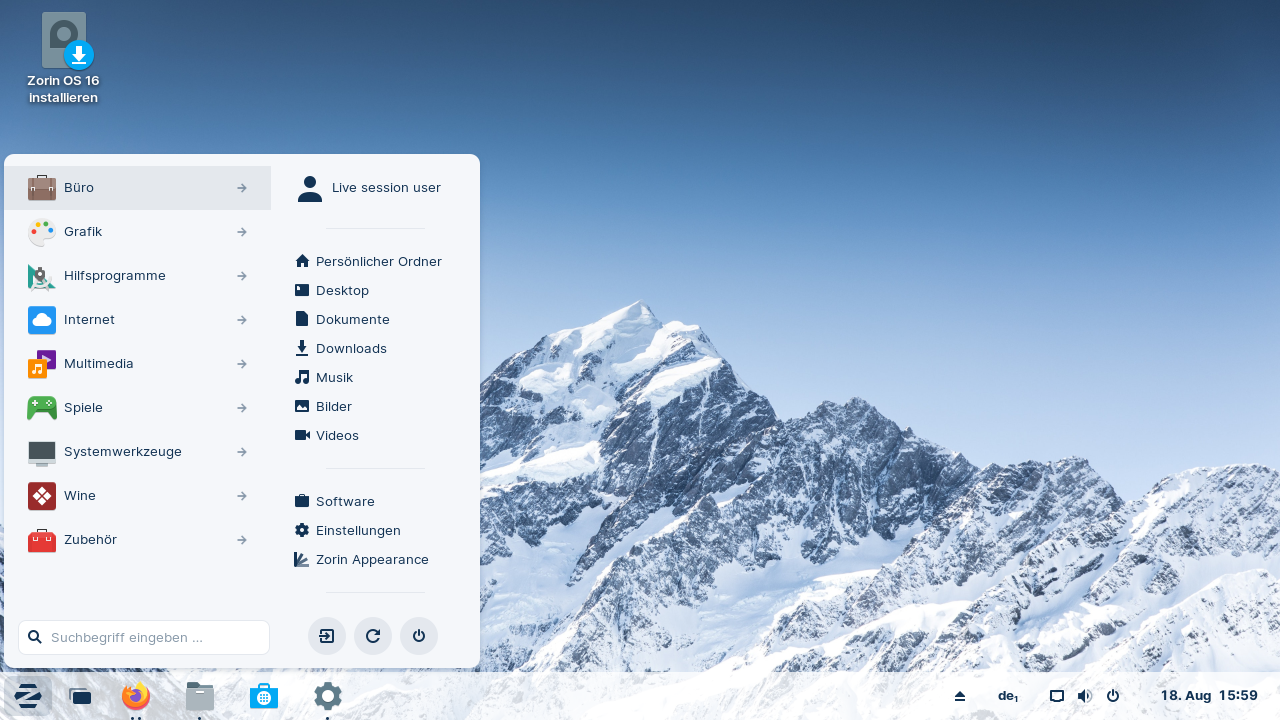
Even so, after spending considerable time using Zorin OS—a distribution I still consider one of the best choices for Windows users—I felt ready to explore a Linux environment designed to resemble macOS instead.
Moving from Zorin OS to Elementary OS
Adjusting to a Different Workflow
As someone who has always been a Windows-first user, I’ve relied on Zorin OS for years as my primary Linux distribution. Over time, I’ve also experimented with Ubuntu, Linux Mint, and several others, but Zorin consistently made switching between Windows and Linux feel effortless.
In my opinion, Zorin OS remains one of the best Linux distributions for users migrating from Windows. Its familiar desktop layout allows users to rely on existing muscle memory while also supporting Windows applications through compatibility tools.
However, after spending every workday on macOS, my habits began to change. I occasionally found myself sitting at my Windows PC and instinctively looking for macOS features or workflows I’d grown accustomed to throughout the day.
That’s when Elementary OS became especially appealing. Like macOS, it hides many advanced system controls behind a cleaner interface, encouraging users to focus on their work instead of endless customization.
While it certainly isn’t a perfect copy of macOS, it provides a refreshing alternative that feels distinct from both Windows and traditional Linux desktops.
Its interface is clean, modern, and noticeably less cluttered than many other Linux distributions.
There were moments when I missed the flexibility and Windows-inspired workflow that Zorin OS offers, but after a short adjustment period, I found myself comfortably completing everyday tasks. Even users who have never used macOS may find Elementary OS an interesting Linux distribution to explore.
Why I Ultimately Switched
Simplicity Improves Productivity
At first, accomplishing tasks that felt straightforward in other Linux distributions required a bit of adjustment. Once I became familiar with the Pantheon desktop, however, its minimalist philosophy started to make sense.
The intentionally simplified interface turned out to be a significant advantage for my work as a writer.
Without an endless collection of menus, settings, themes, and configuration panels competing for my attention, I found it much easier to concentrate on writing. Whenever I needed advanced functionality, the Linux command line remained available for package management and system administration.
While Zorin OS undoubtedly offers greater flexibility, Elementary OS encourages a different mindset. Rather than spending time customizing the operating system, I simply launch it and begin working.
One example is the Simplexity application, which I installed from the AppCenter. It proved ideal for quick research and calculations using Perplexity Computer. Combined with a lightweight word processor, it created a distraction-free environment that kept my focus on productivity instead of system customization.
Should You Switch from Zorin OS to Elementary OS?
For users moving directly from Windows to Linux, I still believe Zorin OS remains the strongest recommendation. Its familiar interface makes the learning curve significantly easier and offers excellent compatibility for Windows users.
However, if your workflow regularly involves both Windows and macOS—or you’ve grown comfortable using Apple’s operating system—Elementary OS deserves serious consideration.
Its streamlined design encourages thoughtful workflows while reducing unnecessary complexity. Instead of overwhelming users with endless options, it focuses on providing a clean, distraction-free environment where getting work done takes priority over constant customization.
For anyone seeking a Linux distribution that combines the elegance of macOS with the flexibility of Linux, Elementary OS is well worth trying.