

Summary
Why I Decided to Run a Local LLM Instead of Relying on Cloud AI
I’ve never been completely comfortable relying on cloud-based LLMs. Most require sending your data to remote servers, which naturally raises privacy concerns. On top of that, many AI services are locked behind costly subscriptions, leaving users with limited control over how the models operate.
With local AI models improving at such a rapid pace, I wanted to find out whether self-hosting an LLM had finally become practical. There are plenty of compelling reasons to run your own AI locally, so I decided to give it a try—and the results genuinely exceeded my expectations.
Ollama Makes Self-Hosting Surprisingly Easy
A Beginner-Friendly Way to Run Local LLMs
For my setup, I chose Ollama as the engine for running language models locally.
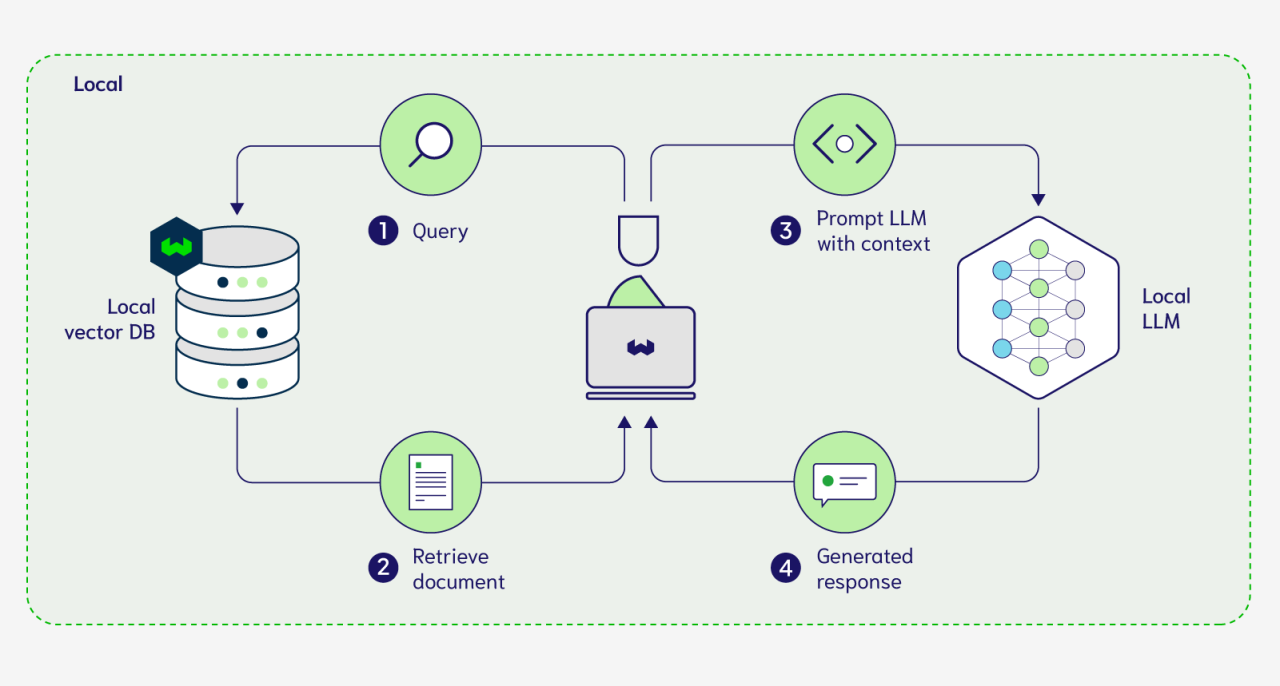
If you’re unfamiliar with it, Ollama is a lightweight framework designed to simplify the process of running large language models on your own hardware. It takes care of everything from downloading model files and configuring the runtime environment to managing hardware resources automatically.
Instead of manually configuring complex backend components, you can launch models with just a few terminal commands. Since everything runs directly on your own machine, both your models and your data remain completely local.
Ollama supports many popular open-source models, including DeepSeek, LLaMA, and several others. It also allows you to load your own custom models if needed while automatically optimizing performance based on your system’s hardware.
Although Ollama doesn’t use containers by default, I decided to run my entire setup inside Docker. Doing so kept everything isolated, avoided dependency conflicts, and made the environment much easier to manage and move between systems.
Open WebUI Completes the Experience
To make interacting with the models easier, I paired Ollama with Open WebUI.
This open-source web interface connects directly to Ollama’s API and provides a clean, chat-style experience similar to commercial AI assistants.
For remote access, I exposed the setup through Ngrok, while Open WebUI handled authentication to ensure the instance remained securely protected.
The result was a polished self-hosted AI environment that I could access both locally and remotely.
Running a Local LLM Was Better Than I Expected
Even Modest Hardware Can Deliver Good Results
Choosing the right model was the next step, and I settled on DeepSeek R1 7B.
My hardware isn’t particularly powerful—I’m running everything on a MacBook Air with Apple’s M1 chip and 16GB of unified memory. It’s certainly not designed for demanding AI workloads, yet the overall experience was far smoother than I anticipated.
As long as the language model was the primary workload, performance remained consistently good. The only noticeable slowdowns occurred when I attempted to multitask while the model was actively running.
Initially, I expected the entire experiment to struggle. Running large language models is generally one of the most resource-intensive workloads consumer hardware can handle.
Fortunately, limiting myself to a 7B model kept everything manageable.
What Does a 7B Model Actually Mean?
The “7B” designation refers to approximately seven billion parameters inside the model.
Parameters are essentially the internal values that enable an AI model to understand language, generate responses, and solve problems. In general, models with more parameters are capable of more sophisticated reasoning and stronger overall performance, but they also require significantly more computing power.
Although seven billion parameters may sound enormous, it’s actually considered one of the smaller and more efficient model sizes that still delivers practical real-world performance.
Practical Performance for Everyday Tasks
Despite the hardware limitations, DeepSeek R1 handled everyday requests surprisingly well.
I regularly used it to debug smaller codebases during flights, generate quick drafts, and complete lightweight offline tasks without any issues.
Users with more capable hardware can comfortably move beyond 7B models and run significantly larger versions—such as 32B or even 70B parameter models—which generally provide stronger reasoning, improved accuracy, and better handling of complex prompts.
Even on relatively modest hardware, however, running an LLM locally proved far more practical than I had expected.
For anyone looking to go further, an older desktop PC can even be repurposed into a dedicated AI server capable of hosting additional AI workloads alongside local language models.
Local AI Still Hasn’t Fully Replaced ChatGPT
Cloud Models Continue to Have Important Advantages
While I’ve enjoyed using a locally hosted LLM, it hasn’t completely replaced cloud-based services like ChatGPT.
My local setup is ideal for lightweight workloads or situations where internet access isn’t available, such as while traveling. For simple coding assistance, drafting text, or answering straightforward prompts, the 7B model performs more than well enough for most of my day-to-day needs.
However, there are still scenarios where I need the higher accuracy, broader knowledge, and stronger reasoning capabilities offered by cloud-hosted models. In those situations, I still turn to ChatGPT or similar AI services.
One memorable example came when I asked DeepSeek R1 about the first iPhone. It confidently claimed the original iPhone was released in 1986—a hilariously incorrect answer that served as a reminder that smaller local models still have clear limitations.
Smaller Hardware Means Smaller Models
If you’re planning to run an LLM on low-power devices such as a Raspberry Pi, expectations need to be adjusted accordingly.
Systems with limited resources generally support only much smaller models—around 1.5 billion parameters—which are suitable primarily for basic questions and simple tasks rather than advanced reasoning.
Cloud AI Still Leads in Overall Capability
Services like ChatGPT continue to offer advantages that are difficult for local models to match.
They often include integrated web search, plugin ecosystems, more up-to-date knowledge, and access to significantly larger models that deliver stronger performance across complex tasks.
Unless you own hardware capable of running very large local models efficiently, recreating that same experience entirely offline remains unrealistic.
That said, for users who prioritize privacy, local control, and freedom from recurring subscription costs, self-hosting an LLM with Ollama has become a genuinely practical option—and one that continues to improve with every new generation of open-source models.