

Summary
Google Keep is great when you only need simple sticky notes. However, once you expect the app to handle more advanced tasks, its limitations quickly become clear. I used Google Keep for years, but I eventually became increasingly frustrated with its limited organizational features and basic note-editing capabilities. I also became more cautious about using the app for sensitive information due to concerns related to Google’s privacy practices.
Eventually, I decided to move away from Google Keep and switch to more privacy-focused note-taking apps that provided both the simplicity I wanted and the flexibility I needed. Among these alternatives, Notesnook stood out as a solution that offered many of the features Google Keep was missing.
Encryption by Default and Privacy by Design
Although self-hosted note-taking applications can provide a more private experience compared with Big Tech solutions, they are not always practical for users who do not have advanced technical skills or the hardware required to host their own servers.
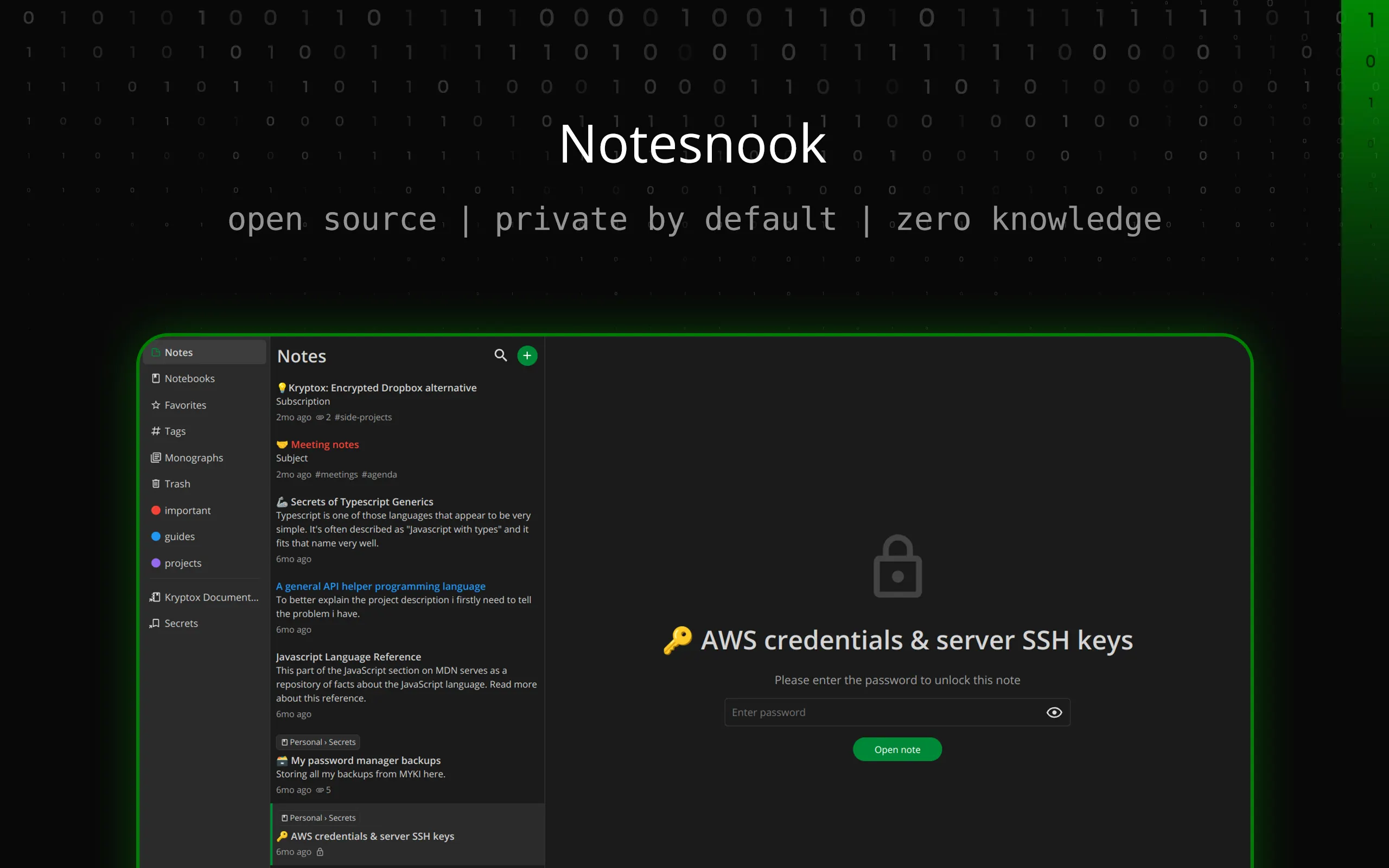
Notesnook solves this problem by offering end-to-end encrypted note syncing for everyone, including free users.
According to Google Support, Google does not use data from Keep for advertising purposes. However, considering Google’s major investment in generative AI and its history of using user data to train and improve its models, I prefer a service where the company has no access to my notes at all.
With Notesnook, users do not have to worry about the company accessing their notes. The platform also includes additional privacy features, such as the ability to lock specific notes. This feature is useful when you want an extra layer of protection for sensitive information.
On the mobile app, users can enable biometric authentication for locked notes after unlocking them with a password, providing a convenient and secure way to access private content.
Flexible Note Editing Features
Choose the Editor That Matches Your Style
When it comes to note-taking, I prefer using a rich text editor because it allows me to format content easily without needing to remember specific syntax. However, some users prefer a Markdown editor, and Notesnook gives you the ability to choose between both options.
The app also allows users to add checklists, tables, images, and other attachments, making it suitable for different types of notes and workflows.
This flexible editing experience has made Notesnook extremely useful for my everyday notes. For example, I sometimes create backups of my article drafts, where a rich text editor helps maintain the original formatting. I also use checklists for shopping and packing lists.
Tables are especially helpful when I need to organize information for direct comparisons. They are also useful when transferring checklists or tables from other websites, such as the achievement tracking list I created for Ark: Survival Evolved.
Google Keep, on the other hand, offers a much more limited set of editing tools. It includes essential features such as checklists, bullet points, headings, and bold, italic, and underlined text. However, these options are not enough for more complex note-taking requirements.
The small editing window provided by Google Keep also makes it difficult to create and manage longer notes. At a certain point, the app’s simplicity becomes a limitation rather than an advantage.
Powerful Organizational Features
Keep Your Notes Organized Without the Clutter
Google Keep worked well for simple note-taking over the years, but its lack of advanced organization features became more noticeable as my collection of notes continued to grow.
The app allows users to change note colors, pin important notes, and add labels to make filtering easier. However, when you have dozens of notes, these features are not enough to prevent clutter.
My Notesnook collection has continued growing over the past few months, but I find it much easier to keep everything organized. Similar to Google Keep, Notesnook uses labels, although they are called tags. However, it also provides dedicated Notebooks for better organization.
This allows users to structure their notes in multiple ways. Notebooks work like folders, while tags function as filters.
For example, I created a Notebook called Work and added specific tags for the websites related to each note, such as XDA. Notesnook also allows users to switch between different views, including all notes with pinned notes displayed at the top, Favorites, Notebooks, and Tags.
Users can also create shortcuts for specific tags and Notebooks, allowing quick access directly from the default sidebar.
I still miss Google Keep’s sticky notes layout and color-coding system. However, Notesnook provides a much better overall organization experience. There is little value in having a collection of colorful notes if finding important information becomes difficult because of limited filtering and navigation options.
Notesnook Helped Me Move Away from Google Keep
If you still want a sticky notes experience through an open-source option, self-hosted applications such as Jotty Page or Poznote are worth considering. Poznote has also recently added a sticky notes view.
However, if privacy, flexible note editing, and strong organization features are important to you, Notesnook is an excellent alternative to Google Keep.
I currently use a combination of self-hosted solutions and Notesnook, allowing me to avoid relying on Google Keep except for the occasional list generated by Gemini.