

Summary
There’s always been something nostalgic and satisfying about clamshell foldables.
That snap-shut motion? Timeless.
But as much as I’ve appreciated the design of foldables like Samsung’s Galaxy Z Flip series, they’ve never quite convinced me they had a real purpose beyond being pocket-friendly conversation starters.
That changed with the Motorola Razr Ultra (2025) — a foldable phone that’s not only powerful and stylish, but finally feels practical too.
And surprisingly, it’s not just because of the sleek build, top-tier specs, or even the versatile cameras.
What sold me? It’s something totally unexpected.
Specs and Style That Go Beyond Nostalgia
Motorola’s latest clamshell flagship brings serious heat to the foldable space:
-
SoC: Qualcomm Snapdragon 8 Elite
-
Display (Main): 7″ OLED, 165Hz, 2992 x 1224 resolution
-
Cover Display: 4″ OLED, 165Hz, 1272 x 1080 resolution
-
RAM: 16GB
-
Design: Premium, durable build with a titanium hinge and woodgrain back panel option
It’s a powerhouse.
The performance is buttery smooth, and the foldable OLED display feels nearly crease-less.
The titanium hinge adds a satisfying snap, and I found myself closing it over and over, just for the tactile joy of it.
And yes, the throwback woodgrain finish is chef’s kiss — a welcome callback to retro charm, with a futuristic twist.
Cameras and Casual Content
The Razr Ultra (2025) packs an impressive camera setup, and while I’m not usually into selfies, the front-facing camera made me rethink that.
It’s just so convenient to snap high-quality shots with the phone half-open, using the outer display as a viewfinder.
And that foldable form factor? Perfect for casual YouTube binging while washing dishes.
The hinge’s resistance is just strong enough to keep the screen propped up — no phone stand required.
The Unexpected MVP: A Really Smart Desk Clock
Here’s where the Razr Ultra really surprised me: it’s become my go-to desktop companion.
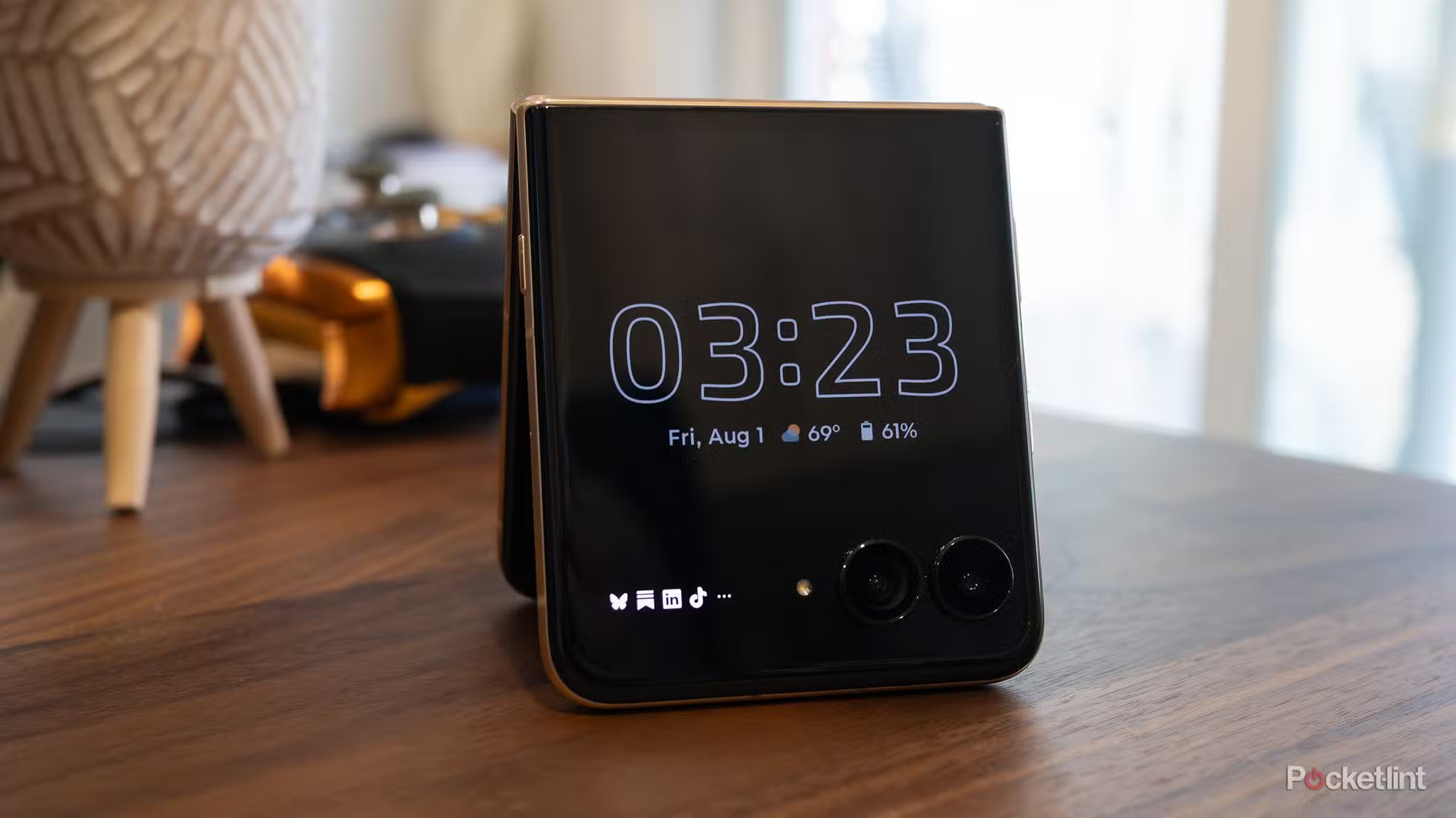
By propping it open in a tent or L-shape on my desk, the external display doubles as a minimalist smart clock and notification panel.
It’s low-distraction and always visible — especially in “Desk Display” mode (Settings > External Display > Sleep Display/Desk Display).
I now glance at the 4-inch, always-on OLED for time, alerts, and upcoming meetings — all without diving into the black hole of social media apps.
And because facial recognition logs me in instantly, it takes just a tap to check a notification and swipe it away.
Think: smartwatch utility, but bigger, brighter, and far more useful when you’re working.
What Works — And What Doesn’t
What I love:
-
Cover display is genuinely helpful for checking alerts without getting sidetracked
-
Customizable always-on clock is clean, easy on the eyes, and functional
-
Facial recognition makes the whole experience seamless
-
Google Calendar Panel has helped me stay focused and organized
What could be better:
-
Facial recognition sometimes fails, forcing PIN entry — annoying when you’re in a rush
-
Some apps feel cramped or awkward on the cover screen (like Gmail and Maps)
-
Changing units (e.g., Celsius/Fahrenheit) in widgets like the weather app is oddly limited
-
Third-party app support for the outer screen still needs refinement
A Foldable That Fits Into Real Life
Despite its quirks, the Motorola Razr Ultra (2025) finally gives clamshell foldables a clear purpose beyond just folding. It’s fun, it’s fast, and — importantly — it’s functional.
From snapping it shut like a modern flip phone to using it as a tiny, always-on productivity screen, this device does more than just look cool.
It works in everyday life — especially for people who want to stay connected without being constantly distracted.
If you’re looking for a foldable that blends nostalgia with modern-day utility, the Razr Ultra might be your best bet yet.
Just be prepared: once you get used to its outer display setup, even traditional smartphones start to feel a little… flat.
Motorola Razr Ultra (2025)
Form factor: Compact, stylish, and actually useful
Performance: Top-tier Snapdragon 8 Elite, plenty of power
Best feature: Surprisingly brilliant as a desk display + notification hub
Bonus points: Great camera tricks using the outer screen